


Website redesign SEO checklist: protect your search visibility
To protect search visibility during a website redesign, identify the pages that matter, agree what happens to each one, test the rebuilt site and keep checking after launch. SEO needs a place in the project plan before pages are renamed or removed.
Put the advice into practice
Give your next major prospect a clearer reason to choose you
Plan the content, design and enquiry pathways around the work you want to win.
Discuss your website projectA new website can make your services easier to understand and your team’s work easier to manage. The aim is to carry forward the useful parts of the existing site while improving what comes next.
No checklist can guarantee unchanged rankings. Google notes that significant site changes can cause temporary search fluctuations. Good preparation gives you a record of what changed and a practical way to investigate problems, rather than trying to reconstruct the old site after it has gone.
Before design: record what is working
Create a shared baseline that the business owner, developer and SEO lead can all use. A list of navigation items is too limited: older articles, campaign pages and downloadable resources may still matter even when they aren’t in the main menu.
Bring together:
- A crawl or export of current pages, with their URLs, titles and status codes.
- Search Console page and query data, with the reporting dates and country filters recorded.
- Analytics landing-page data and the enquiries associated with those visits, where tracking supports that connection.
- Important downloads, resources and pages receiving relevant external links.
- Known limitations, including missing tracking, recent campaign changes or seasonal effects.
Choose a reporting period that reflects the business. A short window can miss a seasonal service or an article that earns fewer but valuable visits. Save the underlying exports, not just a screenshot of the total traffic figure.
Then ask the business team to add context. A service page may attract modest traffic but support high-value enquiries. Another may receive plenty of visits for an offer you no longer provide. Analytics helps inform the decision; it doesn’t make it on its own.
Make the baseline usable after launch
For each priority page, record its business purpose, existing URL, relevant search queries, current enquiry route and intended owner. Keep a copy of the original content and metadata. This makes later comparison much more useful than a site-wide percentage change.
Be explicit about measurement quality. A tracked form submission is not necessarily a qualified enquiry, and a missing event does not prove that nobody contacted you. If the existing data is incomplete, document that now and agree what can realistically be compared.
Agree what to keep, merge or remove
Review the content inventory before approving the new sitemap. The visual design should follow these decisions, rather than force them at the end of the build.
Give each existing page a clear treatment:
- Keep: the page still serves a useful purpose. Retain the URL where practical and improve the content or presentation as needed.
- Rewrite: the purpose remains relevant, but the information needs work. Document what must remain accurate and useful.
- Merge: overlapping pages can be combined into one page that genuinely covers their subject.
- Remove: the content is no longer useful and there is no appropriate replacement.
Do not use “low traffic” as the only removal criterion. Check the page’s role in sales, support, campaigns and referrals. It may also contain detail that is missing elsewhere.
Build a page-by-page destination map
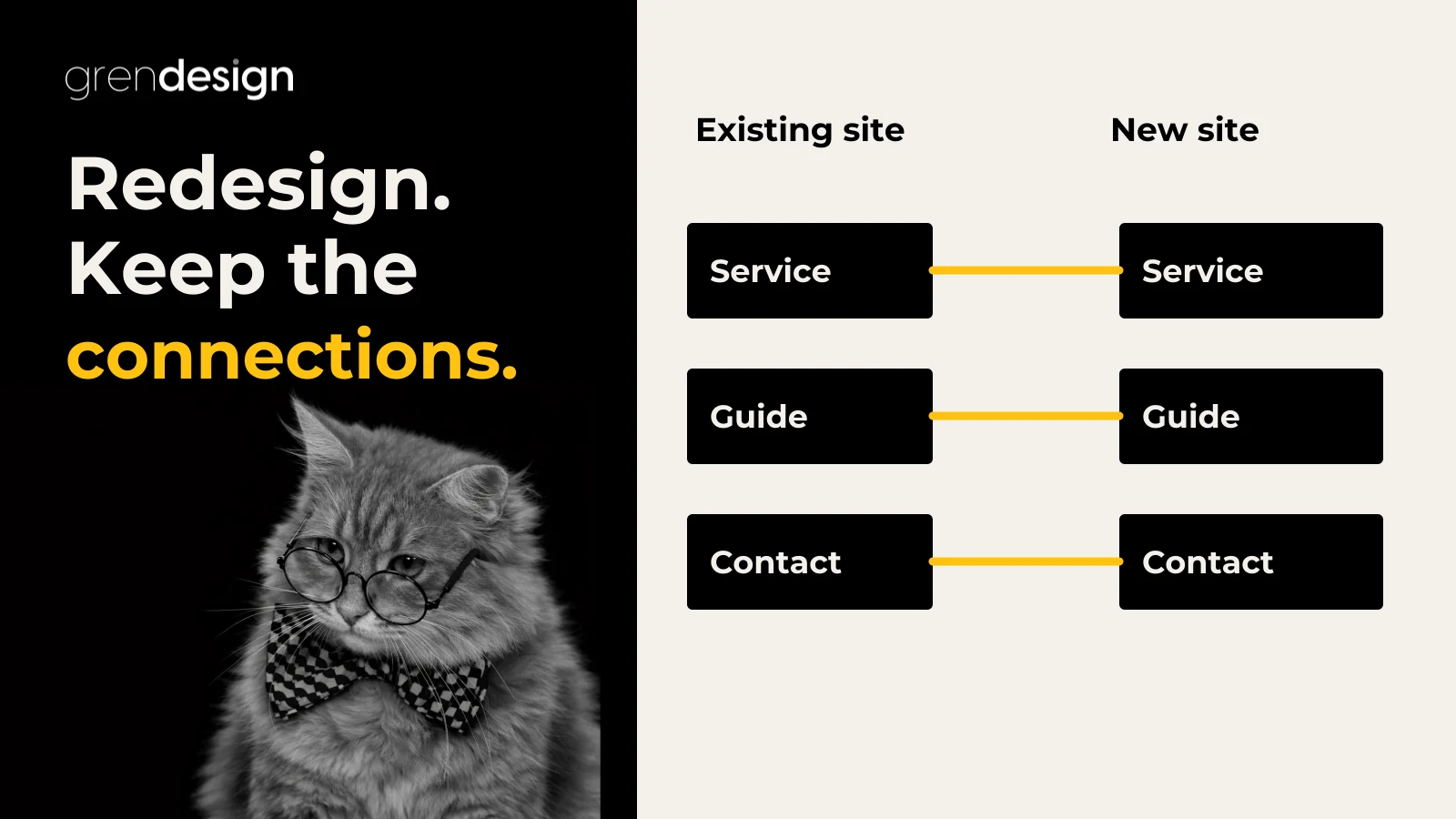
For changed URLs, Google advises mapping old pages to relevant new destinations. Sending unrelated old pages to the homepage can be treated as a soft 404. Where several pages are genuinely consolidated, their replacement can be the combined page. Keep permanent redirects generally for at least a year, and longer where useful. See Google’s site migration guidance.
| Existing page | Decision | Required check |
|---|---|---|
| Current consulting service page | Keep its URL; rewrite outdated service detail | The new page still answers the same core need |
| Two overlapping service explainers | Merge into one comprehensive, relevant page | Both old URLs reach the agreed replacement |
| Useful downloadable guide | Retain or replace with an updated version | Existing links still lead to a useful resource |
| Discontinued offer with no replacement | Remove deliberately | The response and user-facing message are appropriate |
These are planning examples, not a prescription for every site. Have the developer and SEO lead approve the actual handling of removed content. Record exceptions so they don’t look like unexplained failures during testing.
During the build: check the search essentials
Redirects should work for the visitor
A permanent redirect sends an old address to its new location. Google recommends server-side permanent redirects where possible; HTTP 301 and 308 are permanent redirect status codes. They are appropriate when the move is intended to remain in place. A temporary redirect serves a different purpose. Google explains the redirect types here.
Ask for a test of the complete approved map, not just the homepage. Record the old URL, response, final destination and result. Then open priority destinations yourself: a technically working redirect can still land a visitor on the wrong service.
Canonical URLs, links and sitemaps should agree
A canonical URL identifies the preferred version of duplicate or very similar content. It is a signal, not a guarantee that Google will select that version. Check that the new pages do not point their canonical tags to a staging domain or an unintended duplicate. Google’s canonicalisation guidance explains the available signals and their limitations.
Check the navigation, body links, footer and downloadable documents for outdated destinations. Your own links should take visitors to the pages you now intend them to use.
Review the XML sitemap against the approved new structure. Include the canonical URLs you want considered for search, rather than treating it as a list of every address the CMS can generate. Submitting a sitemap helps discovery but does not guarantee indexing. See Google’s guidance on building and submitting a sitemap.
Keep development restrictions out of the public launch
A noindex instruction tells search engines not to index a page. Google must be able to crawl the page to see that instruction, so a robots.txt block is not a substitute for noindex. Check both controls independently, including HTTP headers, rather than relying only on a CMS setting. Google documents how noindex works.
Create two lists: pages intended for search and pages intentionally excluded. Test against those lists. The aim is not to remove every restriction, because private, duplicate or utility pages may need different treatment. Protect private content with appropriate access controls; noindex is not a security measure. Ask the developer to maintain suitable access protection for the development site.
Review the actual mobile content
Google uses the mobile version of content for indexing. Important primary content should be equivalent across desktop and mobile, even if the layout differs. Check headings, useful explanations, images and relevant structured data rather than assuming a responsive template preserves everything. See Google’s mobile-first indexing guidance.
Also walk through the enquiry journey on a phone. Can someone understand the service, open the menu, complete the form and see confirmation? This is a practical business check as well as a design review.
Use a clear launch gate
Agree what must pass before the site goes live. A final visual approval is important, but it should not be the only acceptance test.
- Priority pages have approved content and the correct destinations.
- The agreed redirect map has been tested, with exceptions documented.
- Intended public pages are accessible and have the expected indexing settings.
- Canonical tags and the sitemap refer to the correct live site.
- Menus, internal links, downloads and key mobile interactions work.
- Enquiry forms deliver to the intended inbox or system, with successful receipt confirmed.
- Analytics and agreed enquiry events have been tested without duplicate counting.
- Essential account access and Search Console verification remain available.
- A recent backup, recovery approach and named decision-maker are in place.
- Post-launch checks have owners and dates.
Separate launch blockers from issues that can reasonably follow. A broken enquiry form or accidental site-wide noindex instruction needs a different response from a minor spacing adjustment on a secondary page.
Ask how recovery would work if a critical problem appears. “We have a backup” does not explain who can restore it, how long recovery may take or what happens to enquiries and content added since the backup. Agree the decision process without assuming that every issue requires a full rollback.
If hosting is also changing while URLs stay the same, use a hosting-specific plan. Google’s hosting migration guidance covers testing the new infrastructure, switching traffic and monitoring the transition. Confirm how long the old environment must remain available.
After launch: monitor pages and enquiries
Set review dates before launch. A practical starting plan is a same-day operational check, closer checks during the first week and scheduled reviews over the following weeks. Adjust that cadence to the size of the change and the value of the affected pages.
Give each review a purpose:
- Operational checks: test priority pages, forms, notifications and integrations. Investigate unexpected errors promptly.
- Search checks: review indexing information, priority landing pages and relevant queries. Distinguish intended exclusions from unexpected ones.
- Business checks: look at enquiry volume and quality alongside traffic, noting any change in campaigns, seasonality or tracking.
Compare equivalent periods and maintain consistent filters. If URLs changed, compare the old page and its replacement as a pair. Otherwise, the old page’s decline can appear alarming even while the new page is receiving those visits.
When something falls, identify where it falls first. A drop across all recorded channels may warrant a tracking check. One service page disappearing needs a page-level review. Enquiries falling while traffic holds steady suggests checking the form, messaging and visitor journey. These are starting points for investigation, not automatic diagnoses.
Keep an issue log with the affected URL, evidence, owner, action and verification result. Close an issue when the fix has been checked, not simply when someone has deployed a change.
Copy the responsibility checklist
Use this as a starting allocation and replace each role with a person’s name. One person may hold more than one role, but no important task should belong vaguely to “the team”.
| Deliverable | Suggested lead | Evidence to retain |
|---|---|---|
| Business-critical pages and enquiry routes | Client project owner | Approved priorities and content decisions |
| Search baseline and URL plan | SEO lead, with client input | Dated exports and approved destination map |
| Redirects and technical implementation | Developer | Test results and documented exceptions |
| Content and mobile review | Client owner and design/development team | Approved pages and resolved issues |
| Forms and measurement | Developer and measurement owner | Test submission receipts and event validation |
| Launch decision and recovery | Named project decision-maker | Signed-off checks and recovery contacts |
| Post-launch review | SEO lead and client owner | Review dates, findings and verified fixes |
Confirm what belongs to the redesign project and what sits within an ongoing hosting and maintenance arrangement. Search monitoring, content improvements and technical support may have different scopes and owners.
Common questions about SEO and website redesigns
Can we redesign a website without losing rankings?
You can reduce avoidable risks, but no provider can guarantee that rankings will remain unchanged. Preserve useful content, review URL changes carefully and investigate against the baseline rather than treating every movement as the same problem.
Do we need Google’s Change of Address tool?
Not for an ordinary same-domain redesign. Google limits it to applicable domain or subdomain moves, not changes to paths on the same domain. Your SEO lead should confirm whether the move qualifies using the official migration instructions.
Is keeping the same URLs enough?
No. The content, indexing controls, canonical settings, mobile experience and enquiry journey can still change. Keeping useful URLs reduces one category of work; it doesn’t replace testing.
How long should we monitor the new site?
Continue until the agreed migration checks are resolved and priority pages have a stable, understood pattern, then move into regular reporting. Set dates and responsibilities in the scope rather than assuming monitoring ends when the design is approved.
Plan the redesign around what your business needs to keep
If your current website already supports enquiries, make that part of the next project’s brief. Explore Grendesign’s website design services and SEO support, or talk through your planned changes. Start with the pages that matter, the intended outcome and who will own the checks.
