Connect your enquiry form to your CRM without losing context
A useful form-to-CRM connection preserves the reason someone contacted you, not just their name and email address. Design the enquiry record, ownership rules and failure route before mapping fields, so the next person can respond with context.
Put the advice into practice
Build a workflow your team can actually rely on
Connect systems and follow-up with agreed rules, human review and exception handling.
Discuss your workflowTreat the enquiry as an event, not just a contact update
A contact record describes a person. An enquiry describes something that person wants now. If your integration only updates the contact, a second enquiry can overwrite the first or leave the team unsure which conversation needs attention.
Decide where each submission will live: an enquiry object, activity, ticket or other suitable record in your CRM. Link it to the contact without assuming every submission is a new sales opportunity. A job application, supplier message and customer support request may need different routes.
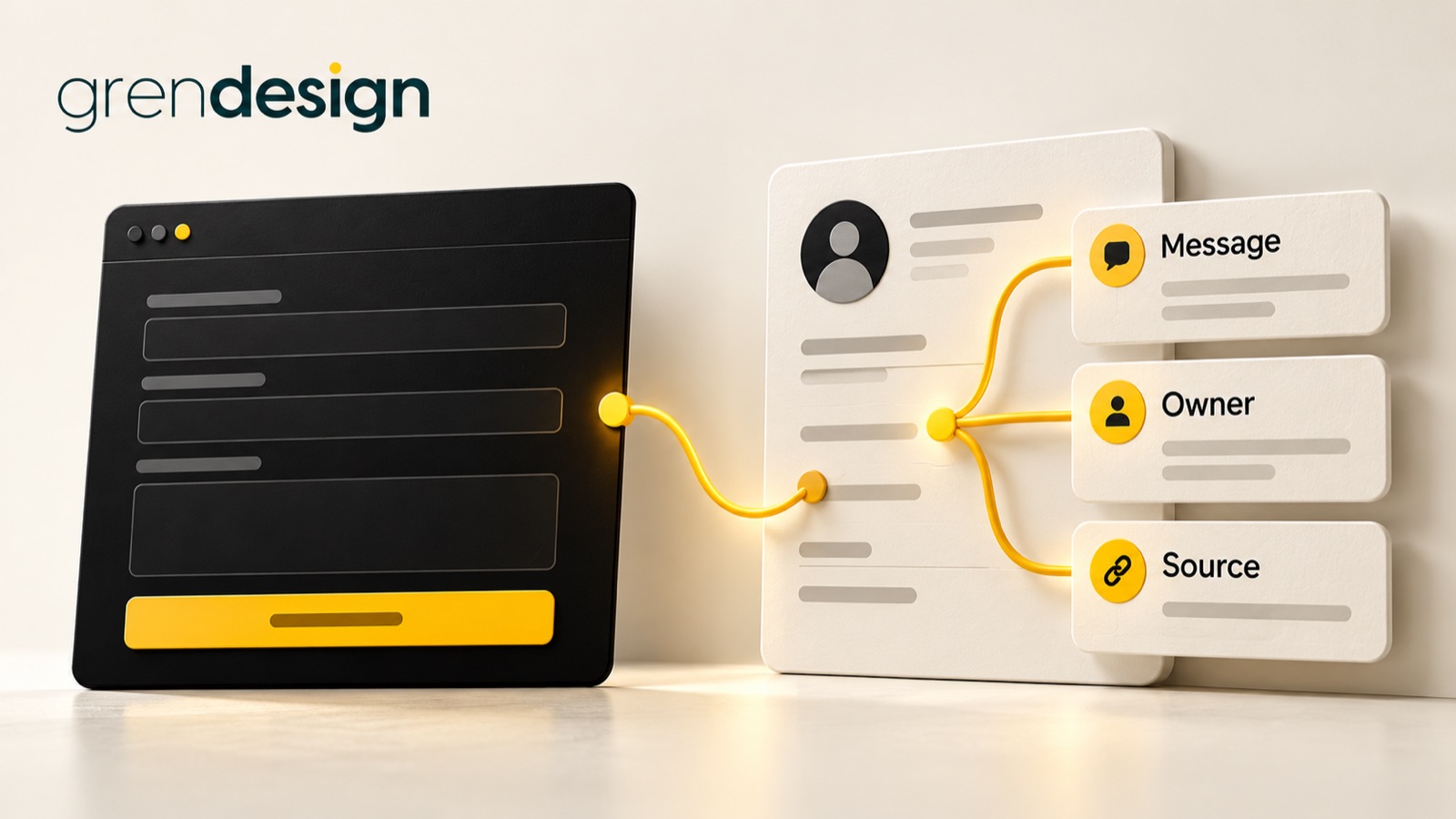
Preserve the original submission date, form identity and customer’s message where appropriate. Record the action the visitor requested, such as a callback or project discussion. A tidy profile without the original request can leave the salesperson less informed than the old inbox did.
Use a unique submission reference to trace the enquiry across systems. It should not need to contain personal information. This reference helps distinguish a new request from a retry of the same one.
Map meaning as well as field names
Create a mapping sheet that names the form field, destination field, format, permitted values and update rule. Similar labels can hide different meanings. “Company” might be free text in the form but a relationship to a separate organisation record in the CRM.
- Name and contact details: preserve what is needed for the response and validate formats without making unnecessary assumptions.
- Service interest: map each option to an agreed CRM value, including a route for “not sure”.
- Message: retain useful detail and line breaks where the destination permits.
- Timing: distinguish a preferred date from a confirmed booking.
- Source: record the relevant page or campaign context where available and appropriate.
- Permission: keep marketing-consent evidence separate from the request to answer the enquiry.
Specify what happens when a value is blank. Should it leave an existing CRM field unchanged, clear it or create an exception? Usually that decision belongs to the business process, not to whichever default the connector happens to apply.
Keep a copy of the agreed mapping with the integration documentation. The next person changing the form should be able to see which downstream fields and routing rules depend on it.
Decide how returning contacts should be handled
An existing customer may use a new email address. Several people may share a reception address. A prospect may submit twice because they are unsure the first attempt worked. These cases should not all be treated as either definite duplicates or definite new people.
Check the CRM’s actual matching behaviour. For example, HubSpot documents email-based contact deduplication, with behaviour affected by how records are created and form settings. That is a platform-specific mechanism, not proof that every record represents the right person.
Choose which fields an enquiry may update and which should be protected. A new form submission should not casually replace an established account owner, overwrite verified company details or erase an earlier permission withdrawal.
Keep uncertain matches visible for review. Merging two people is harder to unwind than creating a flagged item for someone to inspect. Where a submission is retried, use the submission reference to avoid creating duplicate activities or follow-up tasks.
Give the enquiry an owner and a next action
A successful import does not tell a salesperson what to do. Define the initial status, routing rule and task or queue entry that makes the request actionable.
Use a priority order for routing. An existing customer relationship may take precedence over a general geographic rule. A request for support may need to bypass sales entirely. Include a default owner or monitored queue when none of the rules match.
Build an illustrative acceptance test around a returning contact who asks about a different service. The integration should preserve the new message, keep useful account history, route according to the agreed rule and avoid creating an unrelated deal automatically. The right result depends on your process, but it should be explicit.
Plan for leave and workload. An owner field pointing to an unavailable person can be technically correct while the enquiry remains unattended. Agree who monitors unaccepted work and what happens if it is not picked up.
Carry permission and source information carefully
Answering a service enquiry and adding someone to an ongoing marketing sequence are different uses. Do not treat the existence of a CRM record as blanket marketing permission.
The ACMA’s guidance on avoiding spam explains consent, sender identification and unsubscribe requirements for commercial electronic messages. Store evidence of the applicable permission, including when and how it was obtained, and maintain suppression rules through the integration.
Keep source information honest too. A campaign parameter can help explain the immediate visit, but it does not prove which earlier conversation or recommendation influenced the buyer. Label captured source, self-reported source and attribution estimates separately.
Review what personal information is genuinely needed and who can access it. Keep unnecessary form text out of broad notifications and analytics tools. Your privacy notice and internal handling arrangements should reflect the actual data flow, with appropriate advice for your circumstances.
Test the whole journey, including a failed delivery
Use fictional submissions to test a new contact, existing contact, repeat submission, blank optional field, unusual characters and an unmatched service choice. Check the resulting record from the salesperson’s point of view.
Then interrupt the connection in a controlled test. Confirm that the original request is retained appropriately, a failure becomes visible and recovery does not create duplicate work. Do not display “Your appointment is confirmed” merely because the form was submitted.
For each test, verify these outcomes:
- The intended enquiry record exists and can be traced to the submission.
- The original message and relevant context remain readable.
- The correct person or queue receives the work.
- Existing data is updated only according to the agreed rules.
- Consent and suppression information remain intact.
- The customer receives an accurate acknowledgement.
- Failures have a named owner and a recoverable state.
Finally, give the form and CRM owners a shared change process. Adding one option to a dropdown can break routing if the destination does not recognise it. Recheck the connection after meaningful changes, rather than waiting for somebody to notice a missing enquiry.
Explore Grendesign’s AI and automation services if you need to connect the technical mapping with the people doing the follow-up. Bring one real enquiry journey, stripped of unnecessary personal details, and define what a successful handover should look like.