


Build topic clusters without writing five versions of the same article
A useful topic cluster gives each article a different job. Start with the decisions your customers need to make, then plan a page for each substantial question. If two briefs lead to the same advice and next step, they probably belong in one article.
Put the advice into practice
Ongoing SEO, with a clear job to do
Find the search gaps, improve the right pages and review what produces useful enquiries.
Plan your search prioritiesKeyword lists can make a content calendar look larger than the underlying subject. “Website redesign cost”, “website redesign pricing” and “how much does a website redesign cost?” may describe one need, not three separate articles. Publishing all three can leave your team maintaining multiple versions of the same answer.
Choose a buying problem before a topic label
“Websites” is too broad to organise a practical cluster. “Planning a website redesign without losing essential business functions” gives you a recognisable audience and a set of related decisions.
Talk to the people who handle enquiries, scope projects or support customers. Ask what buyers need to understand before they can proceed. Look for questions that change the recommendation: whether the existing platform is suitable, who will provide content, what needs migrating and how launch risk will be managed.
Write one sentence describing the cluster’s purpose. For example: “Help a business owner prepare a realistic redesign brief and evaluate the work required.” This illustrative statement excludes topics that happen to mention websites but do not help with that decision.
A cluster is an editorial planning approach, not a guarantee of search visibility. Its value should be visible before any search engine sees it: readers can find the main explanation and move to the specific answer they need.
Map questions to different decisions
Sort the questions into practical tasks rather than forcing every subject into the same funnel diagram. Some readers need to understand the problem. Others need a comparison, a preparation checklist or a way to evaluate a proposal.
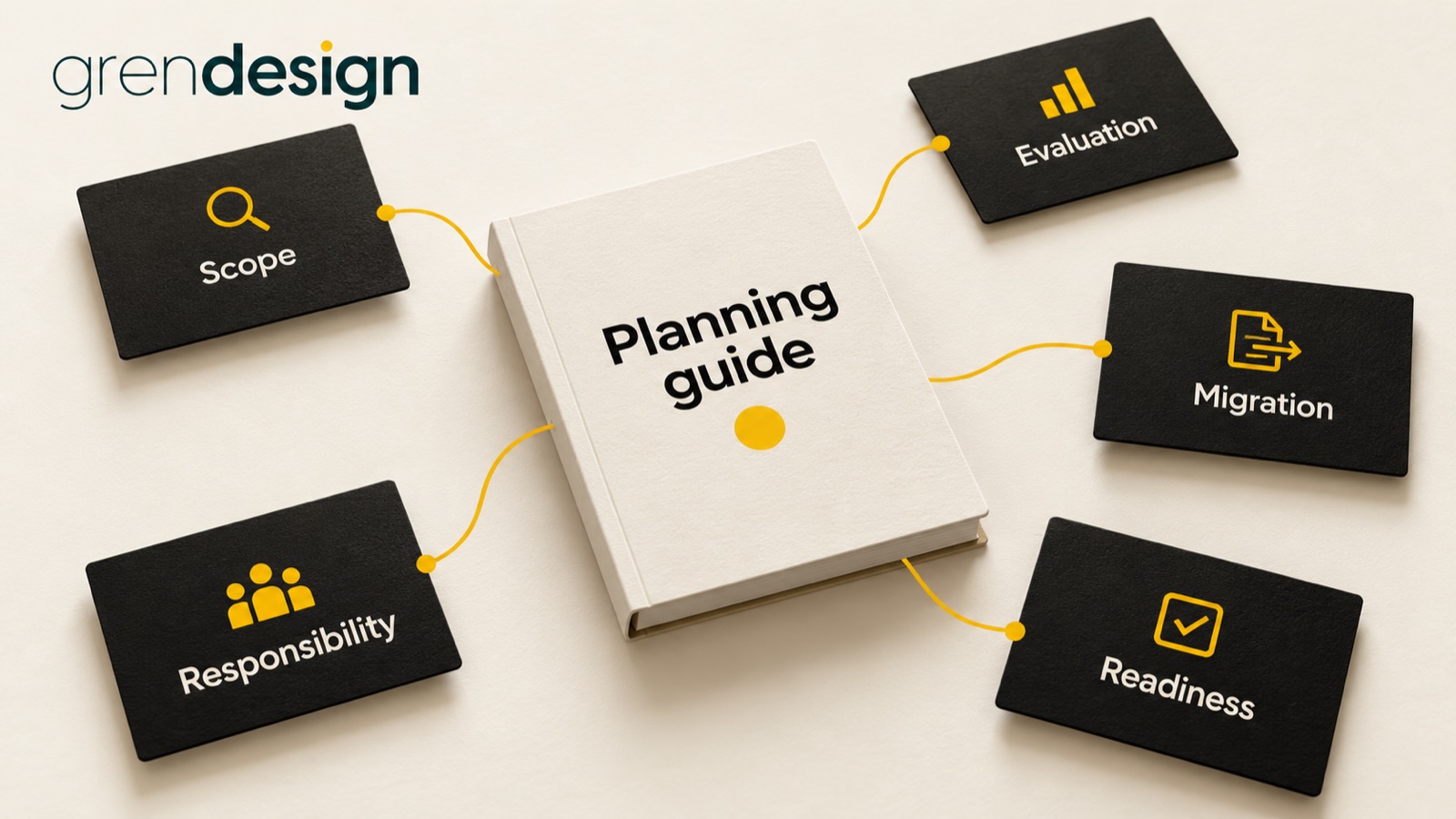
For the illustrative redesign cluster, the map might look like this:
- Scope: What belongs in a redesign brief? The reader leaves with a brief structure.
- Evaluation: How should we compare proposals? The reader leaves with a scope comparison.
- Migration: How do we protect useful existing pages? The reader leaves with a migration checklist.
- Responsibility: Who supplies and approves content? The reader leaves with an ownership plan.
- Readiness: What needs testing before launch? The reader leaves with acceptance questions.
Each item earns its place through a different output. That is stronger separation than changing the adjective in a headline. A brief should say what the reader will be able to do afterwards, not merely which phrases the writer should include.
Do not manufacture an article for every possible sub-question. A short clarification may work better as a section or frequently asked question on an existing page.
Give the overview page a restrained role
The overview helps readers orient themselves. It explains the main choices, introduces the order in which decisions usually arise and points to deeper resources. It does not need to reproduce every checklist in full.
A service page can sometimes provide this orientation if it genuinely helps readers understand their options. In other cases, a separate planning guide is a better fit. Choose according to the page’s job, not a rule that every cluster must have a giant “ultimate guide”.
Keep enough explanation on the overview for it to be useful on its own. “Read our five articles” is navigation, not a substantive introduction. Explain why each decision matters and who should follow the relevant link.
Google’s people-first content guidance provides a helpful quality check: consider whether the content serves an intended audience and leaves readers with a satisfying answer. It does not prescribe a universal cluster size.
Use a brief that makes duplication obvious
Before commissioning a draft, write these six lines:
- Reader: Who needs this answer, and what do they already know?
- Trigger: What happened that made the question important now?
- Decision: What choice or task will the article help with?
- Unique material: Which example, process or evidence belongs here?
- Boundary: What related subjects will be linked rather than explained again?
- Next useful step: What can the reader do when they finish?
Compare those lines with existing briefs. If the reader, trigger, decision and conclusion are effectively identical, pause. You may have found a refresh opportunity rather than a gap.
For example, “redesign checklist” and “redesign planning checklist” could overlap heavily. But a launch checklist for the technical team differs from a planning checklist for the business owner. The distinction must hold throughout the content, not just in the title.
Connect articles at the moment a question arises
Links should reflect the reader’s next need. A proposal comparison article can link to a migration checklist when explaining why migration responsibilities matter. A content ownership article can link back to the planning brief when the reader needs to clarify scope.
Google’s link guidance recommends descriptive, relevant link text and crawlable links. In editorial terms, tell readers what the destination helps them do. “Prepare a content approval plan” is clearer than a vague “learn more”.
There is no need to link every article to every other article. That can overwhelm the useful connections. Start with the obvious next question, a necessary prerequisite and the relevant service destination where appropriate.
Also plan how an older article will introduce a new one. A newly published resource may need a link from an established guide to become part of the actual reading journey, rather than an isolated item in the blog archive.
Publish in the order the evidence supports
You do not have to produce the entire cluster at once. Begin with the question that appears repeatedly in real enquiries and for which your team can provide the strongest answer. Gather supporting material before deciding the next article.
Suppose several prospective clients struggle to compare inclusions across quotes, while few ask about launch testing yet. A detailed comparison worksheet may be the most useful first piece. The launch article can follow when its role and evidence are clear.
Assign an owner to each factual claim and reusable resource. If a service changes, that owner should be able to identify which pages need review. A content map becomes much more valuable when it helps maintain accuracy after publication.
Review the cluster as a customer would
Ask someone unfamiliar with the project to start at one article and explain where they would go next. Can they distinguish the resources? Do the links match their expectations? Do they keep encountering the same introduction and advice?
Review actual enquiries alongside page engagement. Useful content may reduce repetitive explanation or help customers provide a better brief, even when the final enquiry happens on a service page. Record those benefits without pretending every assisted conversation can be attributed precisely.
If a cluster has become repetitive, merge the overlapping answers and preserve the genuinely distinct ones. The aim is not maximum page count. It is a set of dependable resources with clear boundaries.
Explore Grendesign’s SEO services if you want to connect your content plan to priority pages. Bring your existing articles and the questions your team keeps answering so the plan starts with real gaps.
