


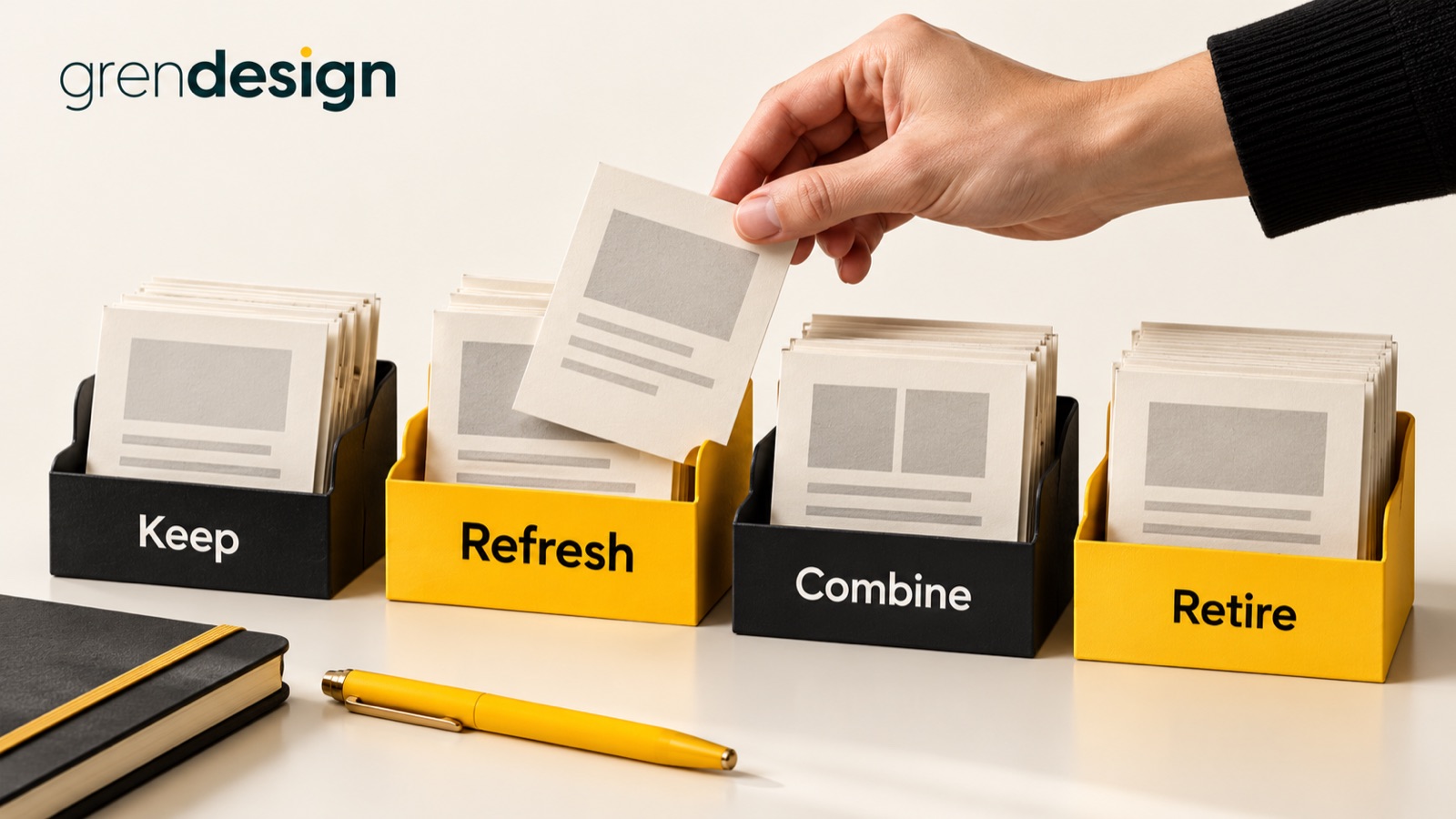
Which blog posts should you refresh, combine or retire?
Refresh a post when its question still matters but the answer needs work. Combine posts when they serve the same reader decision and one stronger page would be easier to use. Retire content when it no longer has a useful, accurate role. Low traffic alone is not enough to choose between them.
Put the advice into practice
Ongoing SEO, with a clear job to do
Find the search gaps, improve the right pages and review what produces useful enquiries.
Plan your search prioritiesA content review becomes much easier when you stop treating every old article as unfinished work. Some pages deserve careful updating. Others are doing a quiet job for a small audience. The goal is a library your customers and team can trust, not a cleaner-looking spreadsheet.
Start with the job each page does
Before opening an analytics report, describe the purpose of the article in one sentence. “Helps an operations manager prepare for a software migration” is useful. “Targets software migration keywords” tells you little about whether the page deserves to stay.
Identify the intended reader, the decision they face and the part of your business the article supports. A specialist guide might attract few visitors but answer a question that regularly delays a serious enquiry. Conversely, a popular article may bring readers who will never need your services. Those are different situations, not automatically good and bad ones.
Ask your customer-facing team which links they still send. Include onboarding, support and proposal use, not just new business. Note articles that document past events or public commitments. Historical content may need an archive label rather than deletion.
Build a small evidence sheet
Use one row per URL and keep observations separate from recommendations. Record the page title, intended question, last substantive review, business owner, search activity, relevant enquiries where known, links worth preserving and accuracy concerns. Add a final column for confidence: clear, probable or needs investigation.
Google Search Console’s Performance report can show clicks, impressions and the queries associated with pages. Use those signals to understand how an article is being discovered. They do not tell you whether a reader became a good customer.
Choose a comparison period that reflects the buying cycle. Comparing a Christmas planning guide in January with its October peak will tell a misleading story. Also check whether analytics or consent settings changed, whether the page is newly published, and whether a technical fault interrupted measurement.
Where evidence is thin, say so. “No recorded enquiry in this reporting period” is more accurate than “This page has never generated business”. A reader may return by a different route or share the article with a colleague.
Choose the smallest useful intervention
Keep a page that still earns its place
A useful article does not need rewriting because it has reached a birthday. Check its factual claims, links, screenshots and next step. If those remain sound, record the review and leave it alone. Repeated cosmetic changes can absorb the time needed for genuinely outdated material.
Refresh a sound question with an incomplete answer
A refresh should fix a specific weakness. Perhaps the process has changed, the opening misses the reader’s main concern, or the article describes an option without explaining when it is suitable. Add the missing decision support and remove obsolete advice. Keep the established URL when the page still answers the same underlying question and there is no practical reason to move it.
Google’s helpful-content guidance encourages evaluating whether content genuinely helps its audience. Changing the date alone is not a meaningful refresh. Neither is adding paragraphs solely to reach a particular length.
Combine pages when the reader keeps getting the same answer
Open the candidate articles side by side. Compare their questions, examples and conclusions. Shared vocabulary is not enough to justify a merger. “What a migration costs” and “How to prepare staff for migration” may share a topic while serving distinct needs.
If the articles genuinely overlap, choose a destination based on relevance, existing usefulness, links and business purpose. Move the valuable unique material into a coherent article rather than pasting every paragraph together. Record what you removed and why.
Retire a page with no continuing role
Expired offers, abandoned service announcements and advice that cannot responsibly be maintained are candidates for retirement. First check whether anyone still needs the historical information. If it should remain accessible, an explicit archive notice may be better than removal.
Work through one overlapping group
Consider this illustrative example. A business has three articles: “Choosing inventory software”, “Five questions before choosing inventory software” and “Preparing your warehouse for new software”.
The first two recommend the same selection criteria, with different introductions. The second contains a useful supplier interview checklist. Combining that checklist into a stronger selection guide could reduce duplication without losing value.
The warehouse preparation article addresses a later problem: training, data clean-up and responsibilities before rollout. Keep it distinct, refresh any outdated steps and link to it where the selection guide explains what happens after a decision.
The resulting plan is specific: one combined selection guide, one separate preparation guide, a redirect for the superseded selection URL and updated links from relevant pages. “Improve our content cluster” would be a much less useful brief.
Treat URL changes as a small migration
Deleting an article in the CMS is only one part of the job. List incoming internal links, email sequences, downloads and other places your team controls that point to it. Update those references to the appropriate live destination.
When a page has genuinely moved or been replaced by equivalent content, a permanent redirect can send readers to that replacement. Google’s redirect documentation explains the distinction between permanent and temporary moves. Ask your website provider to implement and test the chosen approach.
Do not send every retired URL to the homepage merely to avoid a missing-page response. A visitor looking for a detailed technical answer will not necessarily find a generic homepage helpful. Where there is no relevant replacement, agree the appropriate removal behaviour with your developer and give remaining visitors useful navigation.
- Save a copy of the original content and decision record.
- Check the replacement answers the original reader need.
- Test old links, new links and the final destination.
- Update navigation and related-article modules where necessary.
- Record the change date so later reporting has context.
Review the decision, not just the traffic graph
Start with a manageable group and review outcomes after enough time for meaningful observation. Check that readers reach the correct pages, staff can find the resources they need and previously inaccurate information is gone. Then compare search and enquiry signals with the baseline, allowing for seasonality and other changes.
A combined page losing a few unrelated visits while helping better-fit buyers is not automatically a failure. Equally, a longer article attracting more impressions does not prove the rewrite helped the business. Keep the original purpose beside the results.
For help connecting that review to your priority pages, explore Grendesign’s SEO services. Bring a small set of uncertain articles and the decisions they are meant to support. That is a more productive starting point than a request to refresh everything.
