

Gemini’s new business tools: try one useful job first
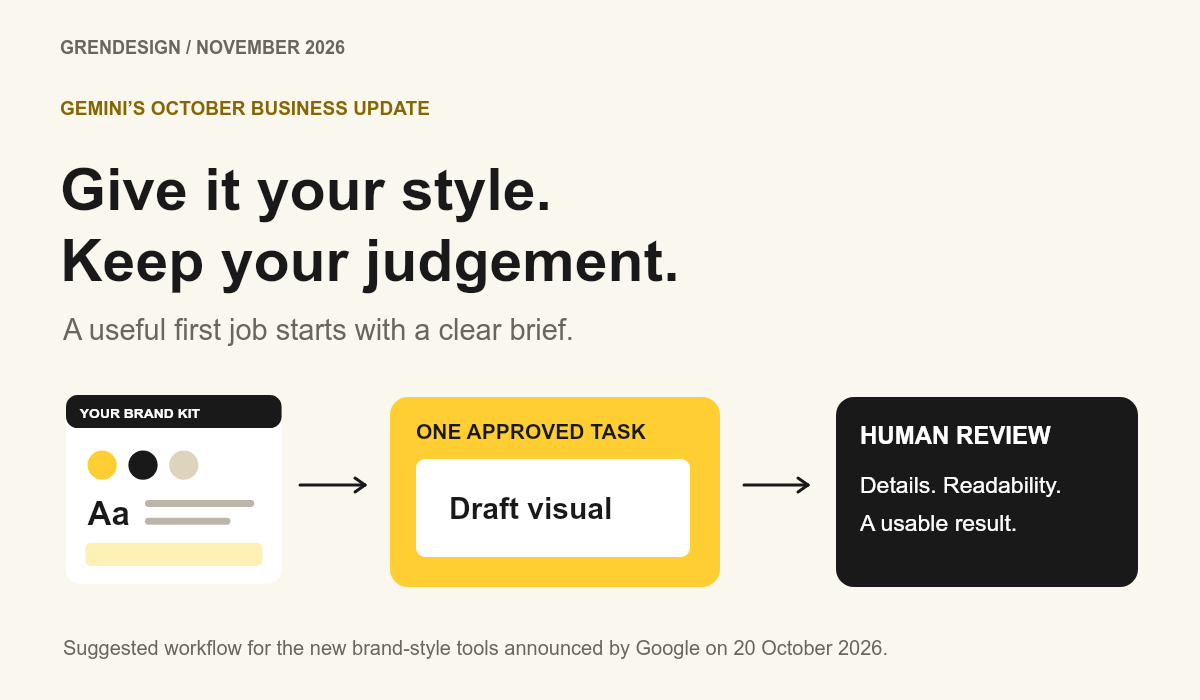
Google’s October 2026 Gemini business tools add a business hub, reusable brand styles and more connected apps. Start with one approved visual task: supply your brand assets, define the audience and format, then review the result before using it. Judge the tool by usable work produced, including the time spent correcting it.
Put the advice into practice
Turn scattered marketing into a considered plan
Connect strategy, creative, channels and ongoing review around your sales process.
Explore our marketing services
Discuss an ongoing marketing partnershipAnother AI update can sound like another thing to learn. This one is worth understanding if your team keeps rebuilding the same social graphics, event notices or campaign layouts. The practical opportunity is a more consistent starting point for work you already need to do.
What did Google announce on 20 October 2026?
Google’s 20 October announcement introduced a Gemini business landing page for brand, finance and customer tasks. It also described more connections to Google services and work apps, including Canva, Shopify and Xero.
For visuals, businesses can supply a website, brand kit, fonts or colour palettes to establish a style that Gemini retains. Google said the business page, skills and new connections were beginning a global rollout for Gemini app users. Check what is available in your own account before planning work around a particular feature.
Which task should you try first?
Choose something repeatable, easy to review and already needed. A graphic for a confirmed workshop, a notice about opening hours or a layout variation for an existing announcement makes a manageable first trial.
Keep the information settled before generating visuals. If the date, wording or audience is still changing, the time you spend revising the brief will be mixed up with the time you spend assessing the tool. Pick one job that can reach a clear finish.
What belongs in the brand brief?
Provide approved artwork you have permission to use, the correct colour values, type guidance and one or two examples of the desired style. Specify the output format and where the visual will appear. Include the exact wording and the person responsible for approving it.
A brand kit can help keep a direction consistent, but it does not settle the design decisions for you. Check the hierarchy: can a person identify the message, date and next step at the size they will actually see it?
What could a useful first prompt look like?
Adapt this brief for a real announcement, replacing every bracketed detail before use:
“Create three layout options for our approved [announcement], using the supplied brand kit and the exact wording below. The audience is [audience] and the format is [dimensions and channel]. Keep the date and next step easy to read on a phone. Do not add prices, claims, logos or people that are not in the supplied material. Leave the result as a draft for review.”
Give feedback on the part that needs changing: spacing, contrast, a crowded heading or an inaccurate detail. A specific revision is easier to assess than repeatedly asking for something more exciting.
Should you connect your work apps straight away?
Decide what the task needs before connecting an account. A brand-layout trial can begin with approved assets. If you later need an app connection, review the information and actions it permits, use an account with appropriate access and give someone responsibility for that connection.
A useful draft does not need customer records, credentials or confidential financial documents. Keep information handling within your team’s agreed rules. If a workflow can change or publish something, keep a person responsible for the final action.
How do you decide whether the tool earns its place?
Count the whole job: preparing the brief, generating options, making corrections, checking the details and exporting a usable result. Compare that with how your team normally completes the same task. Save the brief and the changes that made the result usable, so the next attempt starts with what you learned.
Keep production results separate from discovery results. Our guide to AI Assistant traffic in Google Analytics explains how to check visits from AI tools. A faster design process and a useful new website visitor are both worth understanding, but they answer different questions.