


An organic social content plan built from real customer questions
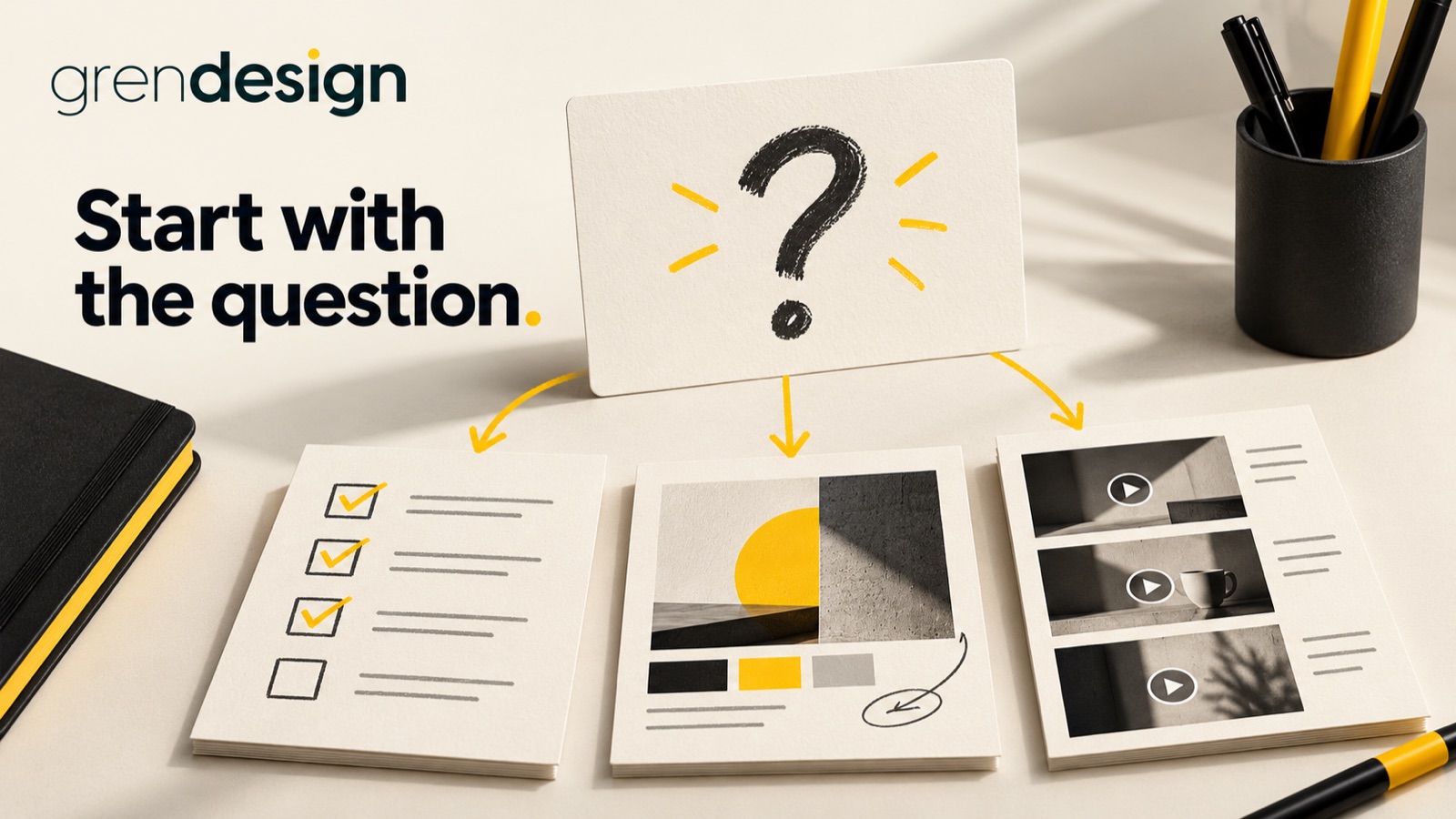
A useful organic social plan can begin with the questions customers already ask. Collect the questions, choose the decision each post will help with and give a complete answer in a format your team can maintain. The calendar comes after that thinking.
Put the advice into practice
Give your social content a stronger business purpose
Build relevant stories and creative around what your audience needs to understand.
Discuss your social contentCollect questions where the work already happens
Ask sales, account management and delivery teams what they explain repeatedly. Review the questions that appear before a proposal, during onboarding and when customers compare options. These are often more useful starting points than a blank page labelled “content ideas”.
Keep a shared question bank with the original question, the audience, the situation and the person who can answer it accurately. Remove private details. A customer conversation can inspire a general explanation without becoming a public customer story.
Look for practical questions: what affects the price, what information is needed to begin, how long a stage usually takes, what the customer needs to approve, or how to choose between two approaches. Avoid publishing unsupported specifics merely because they would make a compelling post.
Include questions people seem reluctant to ask. Your team may recognise recurring confusion about scope or terminology. Explain it respectfully, without making the reader feel that they should already know the answer.
Choose questions that help the right reader
A frequently asked question is a useful signal, but frequency alone should not decide the plan. Some questions are simple administrative matters better handled on the website. Others reveal a decision that your ideal customer finds difficult.
Prioritise questions using four checks:
- Relevance: does this matter to the people you want to reach?
- Usefulness: can the answer help someone make a decision or do something better?
- Evidence: can your team support the explanation or example?
- Fit: does the question relate to work the business actually wants and can deliver?
Keep a mix of early-stage explanations and more detailed buying questions. If every post assumes the reader is ready to request a quote, you miss people who are still working out the problem. If every post is a broad introduction, returning readers have little reason to keep paying attention.
Write the useful answer before choosing a format
Draft the core response in plain language. State the main point, explain the important trade-off and include a practical example or check. Only then decide whether the material suits a text post, diagram, short video or document-style post.
An illustrative question for a design business is: “Why do you need the final copy before finishing the layout?” A useful answer could explain how headings, word length and content hierarchy affect the design, then give a short list of what can remain provisional and what needs approval.
That answer could become a text post with a small checklist, a side-by-side visual showing different content lengths, or a designer talking through a fictional layout. The format changes, but the reader still receives a clear answer.
Do not hold the essential information behind a demand to comment or send a message. A post can be useful on its own and still point to a deeper resource for someone who needs more detail.
Give design a job beyond making the feed consistent
Use visual design to show relationships that are difficult to explain in a short caption. A sequence can clarify a process. An annotated example can show what to check. A comparison can make a trade-off easier to understand.
Choose a limited set of reusable layouts with different purposes. For example, a question-and-answer layout, an annotated example and a checklist cover distinct needs. Reusing the same decorative quote card for every topic may make the feed consistent while leaving the content harder to use.
Check text size on a phone, contrast and the amount of information placed in an image. Provide meaningful alternative text where the platform supports it and captions for speech-led videos. Keep important information available in the accompanying text when practical.
Use approved brand assets and licensed imagery. If a real customer example would strengthen the post, confirm that you have permission to share the relevant details and visuals. Otherwise use a clearly labelled illustration rather than implying a client result.
Make a calendar the team can sustain
Set the publishing rhythm from your capacity to produce, review and respond. There is no useful universal number of weekly posts for every business. A smaller plan with clear ownership is preferable to a busy calendar that depends on people working around unplanned deadlines.
For each planned post, record the question, audience, key point, format, evidence owner, approver and intended next step. Keep the next step proportional: save a checklist, compare options, read a relevant guide or contact the team if the need is immediate.
LinkedIn’s official Page content ideas include a range of educational and visual approaches. Treat those as format options, not a promise that a certain post type will receive a particular reach.
Adapt for each channel rather than copying blindly. The same question may need more context for a broad audience and more technical detail for an industry audience. Check current platform capabilities before building a workflow around a specific feature.
Build a short series around one customer decision
Here is an illustrative four-post sequence for a business explaining a complex service. It is a planning example, not a prescribed posting frequency.
- Recognise the situation: explain the signs that the customer needs to review the current approach, using a practical checklist.
- Understand the options: compare two legitimate approaches and the circumstances each suits.
- Prepare the brief: show the information that makes an initial conversation more useful.
- Set expectations: explain a common approval or delivery stage and what the customer needs to do.
Each post should answer a different question. Avoid repeating the same claim in four formats and calling it a series. Link to existing website material only where it genuinely expands the answer, and make sure that material is still current.
Keep room for timely questions that appear during the month. A planned series provides structure, but the customer conversations should continue to inform it.
Review the questions the posts create
Look beyond the post with the most reactions. Check whether relevant people engaged, whether useful conversations followed and whether the content helped sales or customer support explain something more clearly.
Record new questions in the bank. If several readers misunderstand the same point, revise the explanation. If a quieter post becomes a resource your sales team repeatedly shares, that may be valuable even without broad public engagement.
Keep attribution modest. A social interaction may be one of several influences on an enquiry. Ask customers how they found you where appropriate, but do not turn a single comment or click into a claim that the post caused a sale.
After a few cycles, remove formats that take too much effort for the value they provide and develop the topics that produce useful discussion. The goal is a reliable way to share expertise, not simply a full publishing queue.
Explore Grendesign’s B2B marketing services if you want to connect customer questions, content planning and design. Start with the questions your team is already answering. They give the plan something worthwhile to say.
